How do I install VilaNet and sign in?
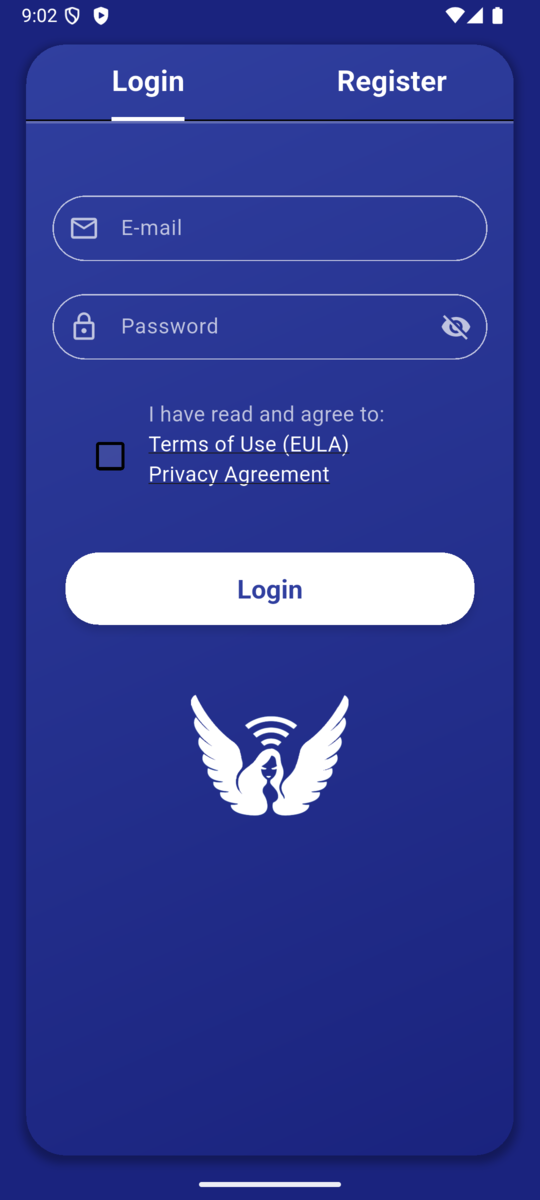
Download VilaNet from the official VilaVPN download page or your platform's approved store, then log in with your VilaVPN account. Do not install copies sent through untrusted messages or unofficial download sites.
The current English app labels verified from the shared VilaNet interface are E-mail, Password and Login. Store links and system prompts must still be verified on each platform before publication.
- Open the official VilaVPN downloads page.
- Choose your device and install the official VilaNet app.
- Open VilaNet.
- Review the linked EULA and Privacy Policy.
- If the agreement checkbox is not already selected, select it to open the minimal-data consent message.
- Review the consent message. Select Allow if you agree and want to continue using the service.
- Enter the account email address under E-mail.
- Enter the account password under Password.
- Select Login.
The operating system normally asks for VPN permission when you make the first connection, not merely when you log in. Review that system prompt when it appears and allow VilaNet to create the VPN configuration.
Success check
VilaNet accepts the login and opens either the main screen or the appropriate purchase or renewal flow. An expired or inactive package must be renewed before it can connect. You should not see a request to paste a raw subscription URL into the official app.
If sign-in fails
- Confirm the email address is complete and has no extra spaces.
- Confirm the account can sign in on the VilaVPN website.
- Check that the subscription is active.
- If the app says it cannot reach the server, change the device's network state once—for example, toggle airplane mode or change between Wi-Fi and mobile data—then try Login again.
- Preserve the exact error message before reinstalling. Do not send your password.
- Continue to Cannot sign in.
Next step
Continue to Make your first connection.
Was this page helpful?