What does automatic server selection do?
Auto Select lets VilaNet choose an available server for you. It is the best starting point for a first connection or when you do not need a particular location.
- Open VilaNet and sign in.
- Open Server Nodes.
- Choose Auto Select.
- Return to the main screen and select Connect.
- Wait for VilaNet to show Connected.
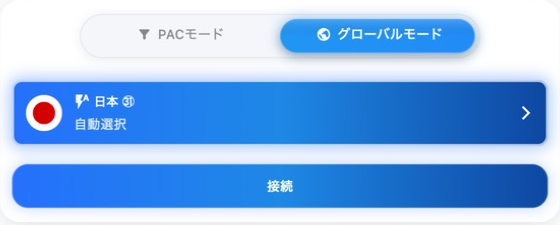
This real VilaNet 2.12.52 macOS capture uses the compact 600 x 700 layout and
Japanese locale. 自動選択 means Auto Select and 接続 means Connect.
The image confirms the selected home-screen state; a current Server Nodes
chooser capture is still required.
Automatic selection avoids comparing the full server list. It does not promise that the same server will be chosen every time.
Success check
Confirm that VilaNet remains Connected and that two familiar HTTPS websites load. For the complete check, follow Confirm VilaVPN is working.
If automatic selection does not work
- VilaNet does not connect: confirm ordinary internet access works while disconnected, preserve the first error, then follow Cannot connect.
- VilaNet connects but pages do not load: disconnect once and follow Connected but no internet.
- You need a particular location: follow Choose a server instead.
Was this page helpful?